Roof Tear-Off Findings Log Template (Free PDF and Word)
Kelvin Spratt
Founder, Supplement Snap · October 25, 2026 · Updated October 25, 2026
Key Takeaways
What to capture during roof tear-off: decking, layers, flashing and more. A free findings log and checklist your crew can use on the roof.
Preparing a supplement? Use the free checklist so nothing is missing when you submit.
The short answer
Tear-off is when hidden conditions show up. A simple log, filled in as the crew works, turns what they see into something the office can use. The free findings log below has a table for each finding and a checklist to finish before the crew leaves the roof.
Disclosure: we make Supplement Snap, which helps roofing crews document damage found at tear-off and export a report. It does not decide coverage, negotiate claims or guarantee approval. This page is general guidance, not legal or claims advice.
Free download
Roof tear-off findings log
A log for the roof: where each finding is, what it is, how much, and which photos show it, with a checklist before you leave.
Fillable PDF: open it in a PDF reader such as Adobe Acrobat Reader to type into the blanks. Some phone and browser previews cannot.
See all free roofing templates →
No email or sign-up needed. General guidance, not legal advice. Adjust it to your carrier's, client's and state's requirements.
What to log
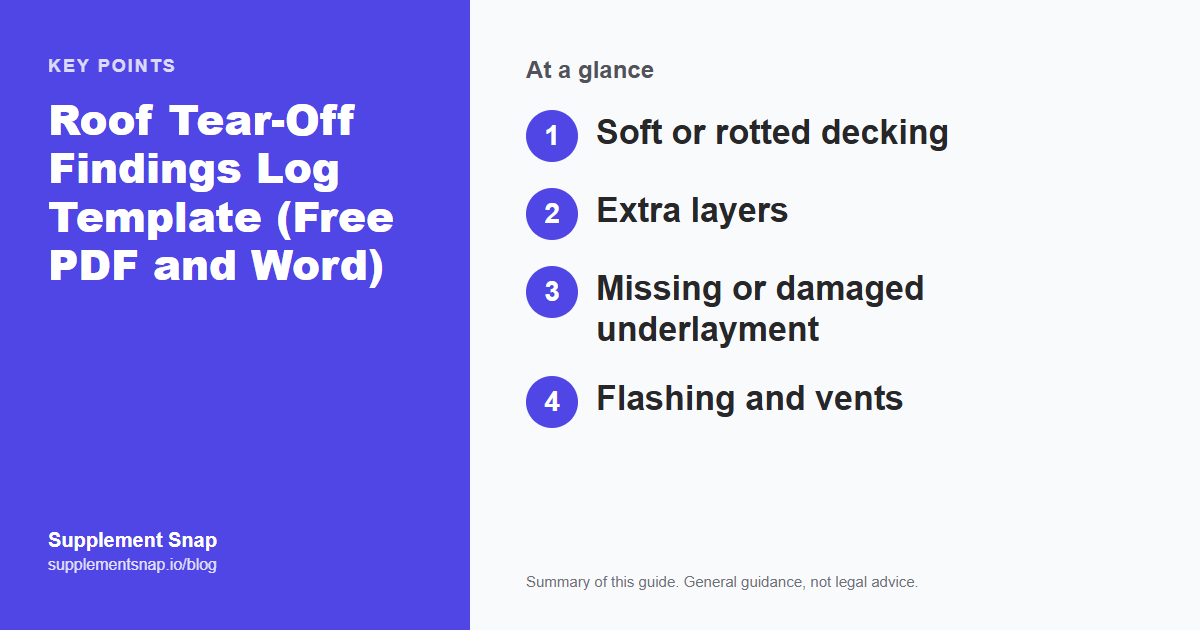
The table lists the usual things. For each, write where it is, what it is, how much and the photo numbers. Keep the wording factual.
| Feature | Capture it when you see it |
|---|---|
| Soft or rotted decking | Where, how many sheets, photos wide and close |
| Extra layers | Photo at the edge, number of layers |
| Missing or damaged underlayment | Area and photo |
| Flashing and vents | Count, condition, photo |
| Anything not in the scope | A note with location and photo |
Log it on the roof, not at the kitchen table.
Supplement Snap lets your crew capture findings with photos and notes on a phone, then export the report. Your first project is free.
How to use the log
Give it to the crew lead before the job. As the roof opens up, the lead writes a line for each finding. A phone photo of the page at the end of the day gets it to the office the same day.
Measure, don't guess
A quantity written as about two sheets is easy to dispute. Measure or count and write the number. Include the arithmetic for areas.
Do it before it is covered
Concealed conditions are only visible for a short time. After the new deck or underlayment is on, the evidence is gone.
Before you leave the roof
Use the checklist: close and wide photos, scale in the picture, photo numbers recorded, quantities measured, and the office informed. Five minutes here prevents a return trip.
From log to supplement
The log feeds the findings in your supplement. Each row becomes a numbered finding with photos and a quantity. See our guide to writing a supplement for the full package.
A sample log entry (fictional)
# 3. Where: rear slope, along the eave near the left corner. What was found: decking soft and deteriorated when walked, dark staining on the underside. Quantity: 4 sheets, each 4 ft by 8 ft, 128 sq ft. Photos: 14 to 17. Found at: 10:20 AM after shingles and underlayment were removed.
The entry is invented. It shows the level of detail that lets the office build a finding without calling the roof.
Assign the log to one person
The log works best when one person owns it for each job, usually the crew lead. Others tell that person what they see. This avoids duplicates and missing lines. At the end of the day the lead photographs the page or sends the entries to the office.
What to do when something is unclear
If you cannot tell whether a condition is damage from the storm, old wear or a past repair, write what you see and leave the cause blank. The office or the carrier can decide what it means. Do not guess in writing.
From the log to the supplement
In the office, turn each log line into a finding: a short description, the location, the quantity and the photo numbers. Keep the log with the claim file in case someone asks what was written on the roof. If a number in the log differs from the number in the supplement, explain why.
Frequently asked questions
Is the findings log free?
Yes. It comes as a printable PDF, a fillable PDF and a Word file.
Who should fill it in?
Whoever sees the condition, usually the crew lead.
How detailed should entries be?
Where, what, how much and which photos. Short and factual.
Do I still need photos?
Yes. The log points to the photos.
Can I use a phone instead?
Yes. An app can hold the same information. The log works with no app at all.
Can I keep the log on my phone?
Yes. A notes app works if you keep the same columns. Take a screenshot at the end of the day.
Should the homeowner sign the log?
Not required for the log itself. Some contractors have the homeowner acknowledge changes in scope. Follow your own contract.
References & Resources
Free tools and resources
Ready to streamline your supplement process?
Supplement Snap helps your crew capture hidden damage during tear-off and generate adjuster-ready reports in minutes.
Written by
Kelvin Spratt
Founder, Supplement Snap
Kelvin builds software for roofing contractors who are tired of leaving supplement money on the table. His background in software development and insurance restoration workflows drives everything Supplement Snap does.