How to Use a Free Trial to Choose Roofing Supplement Software
Kelvin Spratt
Founder, Supplement Snap · October 25, 2026 · Updated October 25, 2026
Key Takeaways
A 14-day plan for testing supplement software on real jobs: what to do each week, what to compare, and how to cancel before you pay for a tool you do not use.
Preparing a supplement? Use the free checklist so nothing is missing when you submit.
The short answer
A free trial is only useful if you use it on real work. Fourteen days is enough to test supplement software on two real jobs, compare the reports with your own, and decide. The plan below tells you what to do each week, what to compare and how to leave cleanly if it is not a fit. Treat the trial like a job interview for the software.
Disclosure: we make Supplement Snap, which helps roofing crews document damage found at tear-off and export a report. It does not decide coverage, negotiate claims or guarantee approval. This page is general guidance, not legal or claims advice.
Before you start
Ask three things in writing: is a card required, what happens on day 15, and how do I cancel. Read the cancellation steps before you enter a card. A fair trial tells you plainly and lets you cancel yourself, without a phone call. See our buyer's checklist for the full list of questions.
Also check what the trial includes. Some trials limit features, so make sure you can build and download a full report.
| Feature | What to do |
|---|---|
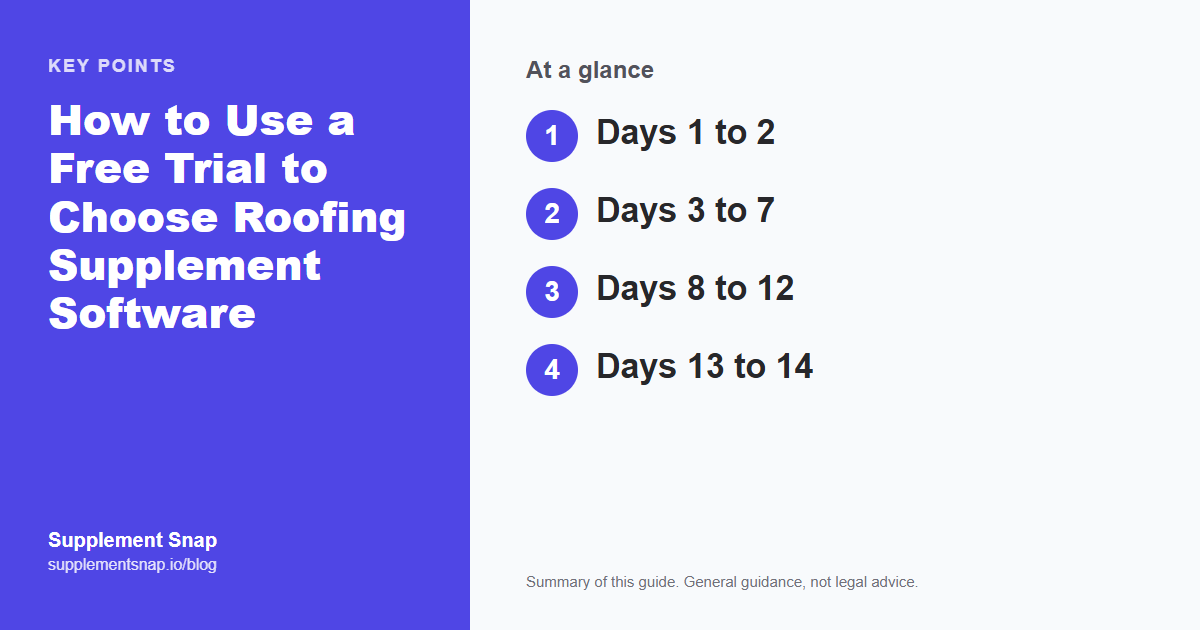
| Days 1 to 2 | Sign up, set up one real job, and capture a few findings on a current tear-off |
| Days 3 to 7 | Build a full report and compare it with your usual process |
| Days 8 to 12 | Use it on a second job with a different crew member |
| Days 13 to 14 | Decide, and cancel before the trial ends if the answer is no |
Use the trial on real jobs.
Your first Supplement Snap project is free, and paid plans start with a 14-day trial. Cancel from your account page if it is not for you.
Days 1 to 2: Set up one real job
Do not test with made-up data if you can avoid it. Pick a job you are already working and set it up with the real address, claim number and carrier. Capture a few findings, even if the job is early. The goal is to see how the app feels in your hands and how long setup takes.
If setup is confusing, note what confused you. That is the information the trial is for.
Days 3 to 7: Build a report and compare
Use the findings to generate a full report and open the PDF. Put it next to what you would normally send. Compare: photos beside findings, clear locations, quantities, readable descriptions, a cover page the adjuster can match to the claim.
If the software drafts descriptions with AI, read every one and edit what is off. Note how much editing was needed. Heavy rewriting means less time saved than you hoped.
Write the cancel date on day one
If a card is required, put the day before the trial ends on your calendar the moment you sign up. A trial you forget about is the most common way people end up paying for software they do not use.
Days 8 to 12: Use it again with someone else
A second job, ideally with a different crew member, shows whether it works beyond the person who set it up. Watch where they get stuck. Try at least one capture with weak signal. Our field-test checklist covers the conditions to try.
Days 13 to 14: Decide
Score three things: how easy it was for the crew, how good the report was, and what it would cost at your volume. Use our ROI calculator with your real numbers. If the answer is yes, keep it. If it is maybe, give it one more week on a third job before the trial ends only if the vendor offers an extension, otherwise decide on what you saw.
If the answer is no, cancel before the trial ends. Check that your account shows the cancellation, and save the confirmation.
After you decide
If you keep it, tell the crew exactly what you expect from them on every job, and use a short checklist. See how to roll it out. If you cancel, ask what happens to your data and whether you can download your reports first.
A one-page trial scorecard
Write five lines on a sheet before you start: setup time, crew ease, report quality, cost at your volume, and how cancelling works. After each job, add a score from one to five and one sentence. At the end of day fourteen you have a decision on paper instead of an impression.
If you are comparing two tools at once, use the same sheet for both and the same job where possible.
Mistakes to avoid during a trial
Testing only with sample data, letting one person decide alone, skipping the cancellation steps until the last day, and judging by features instead of by what the finished report looks like. Also avoid starting a trial the week before a vacation or a storm rush, when you will not have the attention to evaluate it.
Frequently asked questions
How long is a typical free trial?
Many offer around 14 days, but terms differ. Ask the vendor for the exact length, whether a card is required, and what happens at the end.
Do I need a card to start a trial?
Some vendors require one and some do not. Supplement Snap's first project is free with no card, and paid plans start with a 14-day trial that needs a card.
How do I avoid being charged after a trial?
Set a reminder for the day before it ends, and cancel from your account. Keep the confirmation.
What should I compare during a trial?
Crew ease of use, report quality, time spent, and cost at your volume.
Can I test with sample data?
You can, but a real job tells you more. Use sample data only if no job is available.
What if a tool has no free trial?
Ask for a demo with your own photos, or a refund policy in writing before you pay.
References & Resources
Free tools and resources
Ready to streamline your supplement process?
Supplement Snap helps your crew capture hidden damage during tear-off and generate adjuster-ready reports in minutes.
Written by
Kelvin Spratt
Founder, Supplement Snap
Kelvin builds software for roofing contractors who are tired of leaving supplement money on the table. His background in software development and insurance restoration workflows drives everything Supplement Snap does.