15 Questions to Ask Before You Buy Roofing Supplement Software
Kelvin Spratt
Founder, Supplement Snap · October 25, 2026 · Updated October 25, 2026
Key Takeaways
A buyer's checklist for roofing supplement software: pricing limits, users, trial terms, cancellation, offline use, data, AI review and what to test first.
Preparing a supplement? Use the free checklist so nothing is missing when you submit.
The short answer
Before you pay for roofing supplement software, you should know five things: what it costs at your volume, what your crew has to do on the roof, who owns your photos and reports, how you leave if it does not work, and what it cannot do. The fifteen questions below cover those and a few more. Ask them of every vendor, then test your favorite on one real job.
Disclosure: we make Supplement Snap, which helps roofing crews document damage found at tear-off and export a report. It does not decide coverage, negotiate claims or guarantee approval. This page is general guidance, not legal or claims advice.
Price and limits (questions 1 to 4)
What does it cost per month at my size, in writing? Ask for the total, not the starting price.
Is there a limit on projects, supplements or photos? Some tools price per claim or cap the number per month, which changes the math if you file a lot.
How many people can log in on the plan I would use? A crew lead, an office person and an owner may all need access.
Are there setup, onboarding or per-user fees on top?
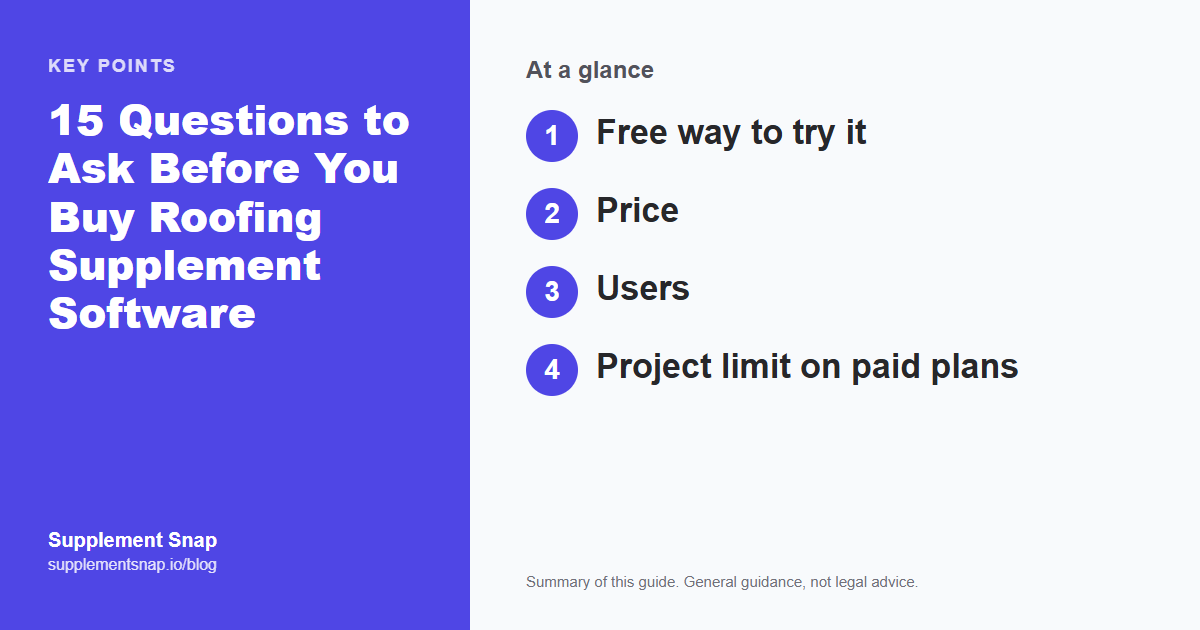
The table shows how we answer a few of these. Compare the numbers to your own volume with the ROI calculator, and see the cost guide for how pricing models differ.
| Feature | How Supplement Snap answers (verify on our pricing page) |
|---|---|
| Free way to try it | First project is free with no card. Paid plans start with a 14-day trial; a card is required. |
| Price | Starter $99, Team $199, Pro $299 per month at the time of writing. Check the pricing page for current prices. |
| Users | Starter 1, Team up to 3, Pro up to 5 |
| Project limit on paid plans | Unlimited projects |
| Cancelling | From the account page, through Manage billing, with no call needed |
| Works with weak signal | Captures made without signal are saved on the phone and upload when it returns |
| CRM integration | None. Reports download as PDF; Team and Pro can also export Xactimate CSV. |
| Who decides coverage | The carrier. The software does not decide coverage or guarantee approval. |
Test it on one real job before you pay.
Your first Supplement Snap project is free, and paid plans start with a 14-day trial. Judge the report it produces against your current process.
Trial, contract and cancelling (questions 5 to 7)
Can I try it on a real job before paying? A free project or a trial is a fair test. A demo video is not.
Is a card required for the trial, and what happens on day 15? Ask what reminder you get before the first charge.
How do I cancel, and is it self-service? You should be able to cancel without a call or an email chain, and you should know whether access continues to the end of the paid period.
If cancelling takes a phone call, that is worth knowing before you start.
What your crew actually does (questions 8 to 10)
How many taps from opening the app to a captured finding with a photo and a note? Try it with gloves on or at arm's length in sunlight.
What happens with no signal? Roofs and rural jobs often have weak coverage. Ask whether captures are saved on the phone and sent later.
Can the crew speak a note instead of typing? Voice notes save time in the field, but ask what happens when the microphone is blocked or the network is down.
The best test is to hand the phone to your least technical crew member and watch. If they get stuck, your crew will too.
Ask every vendor the same questions
Use this list with any company, including us. A good vendor answers plainly and in writing. If an answer is vague, or you are told to talk to sales for something as basic as price, treat that as information.
AI and the quality of the report (questions 11 to 12)
Does the AI write something I have to review, or does it send on its own? You should be able to read and edit every description before anything goes to an adjuster. Software that drafts is useful. Software that sends without review is a risk to your reputation.
What does the finished report look like, and can I see a real sample? Compare it with what you send today. Look for photos beside each finding, locations, quantities and a clear cover page.
No software can promise a carrier will pay. Anyone who guarantees approval is selling something they cannot control.
Your data and how you leave (questions 13 to 14)
Who owns my photos, notes and reports, and can I download them? Ask what you would walk away with if you cancelled tomorrow.
How long are photos kept, and what happens to them after I cancel? Claims can take months, and you may need the photos later.
Get the answers in writing. For us, reports download as PDF and Team and Pro plans can export an Xactimate CSV. If you need a bulk export of everything, ask any vendor, including us, exactly what they provide.
Fit with your other tools (question 15)
Does it connect to my CRM or estimating software, and do I need that? Some tools integrate and some do not. We do not integrate with CRMs today, so jobs are set up in Supplement Snap on their own. If a CRM connection is essential for you, that is a fair reason to choose something else. Our <a href='/blog/best-roofing-crm'>CRM guide</a> and <a href='/blog/best-roofing-supplement-software'>supplement software comparison</a> cover how the categories differ.
How to run a one-job test
Pick one real job with hidden damage. Document it the way you normally would on one side, and with the software on the other. Then compare: how long each took, how complete each report looks, and how comfortable your crew was.
Write the answers to the fifteen questions on one page for each vendor you test. The decision is usually clear by the second page.
If you want a fallback that costs nothing, our free supplement template, tracker and findings log work without any software.
Frequently asked questions
What should I look for in roofing supplement software?
Clear pricing for your volume, a free way to test it, simple capture that works on a roof, drafts you review before sending, a report adjusters can follow, and an easy way to cancel.
Is a free trial enough to decide?
It is enough if you use it on a real job. Test the capture, the report and the cancellation process before the trial ends.
Should the software connect to my CRM?
Only if that matters to your workflow. Many contractors use a CRM for customers and a separate tool for documenting hidden damage. Ask each vendor what it supports today.
Can software guarantee that the carrier pays?
No. The carrier decides. Software can help you document and present findings clearly.
What is a red flag when buying?
No price until a sales call, no free way to test, a cancellation process that needs a phone call, or promises about how much money you will recover.
What if I only file a few supplements a year?
A template, a tracker and a crew checklist may be enough. Run the numbers with your own volume before paying for software.
References & Resources
Free tools and resources
Ready to streamline your supplement process?
Supplement Snap helps your crew capture hidden damage during tear-off and generate adjuster-ready reports in minutes.
Written by
Kelvin Spratt
Founder, Supplement Snap
Kelvin builds software for roofing contractors who are tired of leaving supplement money on the table. His background in software development and insurance restoration workflows drives everything Supplement Snap does.
More Articles
How to Field-Test Roofing Supplement Software Before You Buy
Read more →
Roofing Supplement Software: Data, Privacy and Security Questions
Read more →
Best Roofing Supplement Software (2026): 5 Types of Tools Compared
Read more →
How Much Does Roofing Supplement Software Cost? A 2026 Price Guide
Read more →