Roofing Supplement Follow-Up Log: Track Submissions and Adjuster Responses
Kelvin Spratt
Founder, Supplement Snap · October 23, 2026 · Updated October 23, 2026
Key Takeaways
A simple roofing supplement follow-up log: the columns to track, status definitions, a follow-up routine and how to learn from adjuster responses.
Preparing a supplement? Use the free checklist so nothing is missing when you submit.
Why a follow-up log matters
A supplement is not finished when you send it. It can sit unanswered, come back with a request for more information or be partly approved. Without a record, the follow-up depends on memory, and requests get missed.
A simple log keeps every open supplement visible and gives you a short answer when someone asks where a claim stands. It also builds a history you can learn from, which is where it starts to pay off.
You do not need special software for this. A spreadsheet is enough to start. What matters is that you use it every time.
Free download
Roofing supplement tracker
One line per supplement: claim, carrier, date sent, follow-up date, status and amount asked, with a weekly checklist.
Fillable PDF: open it in a PDF reader such as Adobe Acrobat Reader to type into the blanks. Some phone and browser previews cannot.
See all free roofing templates →
No email or sign-up needed. General guidance, not legal advice. Adjust it to your carrier's, client's and state's requirements.
What to track for each supplement
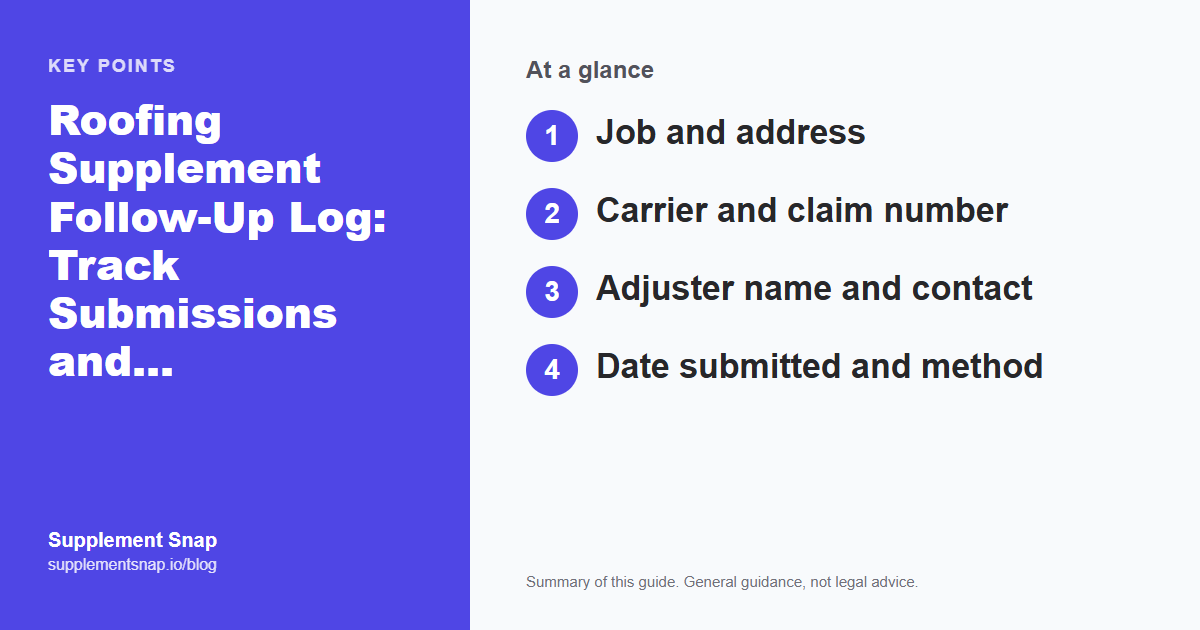
Copy these columns into a spreadsheet. The table shows why each one is there:
Job and address
Carrier and claim number
Adjuster name and contact
Date submitted and method
Items requested and the amount
Date of last contact and what was said
Next follow-up date
Outcome and date
Keep entries short. The goal is to find the status in seconds, not to write a diary.
| Feature | Why it matters |
|---|---|
| Job and address | Tells you which roof this is |
| Carrier and claim number | Lets you find the claim quickly on a call |
| Adjuster name and contact | Who to follow up with |
| Date submitted and method | Starts the clock and proves it was sent |
| Items and amount requested | What you asked for, in short |
| Last contact and what was said | Prevents repeating yourself |
| Next follow-up date | The column that stops claims from slipping |
| Outcome and date | Builds your history over time |
Capture this on the roof, not from memory.
Supplement Snap lets your crew take photos and voice notes at tear-off and drafts a report you review before sending. Your first project is free.
Use clear status labels
Pick a small set of statuses and use them the same way every time. A common set is:
Submitted: Sent, waiting for a response.
Information requested: The adjuster asked for more. Note what.
Under review: Acknowledged, no decision yet.
Partially approved: Some items accepted. Note which.
Approved: Accepted as requested.
Denied: Declined. Record the reason given.
Resubmitted: Sent again with more documentation.
A filter on this column shows everything waiting on you versus everything waiting on the carrier.
A follow-up routine that works
The routine is short. What makes it work is doing it every time, not doing it perfectly.
How long to wait before following up varies by carrier and by claim, so use the carrier's stated timeline if you have one and your own experience if you do not. The date matters less than having one at all.
Log it the day you send it
Record the date, method and what you requested while it is fresh.
Set the next follow-up date
Do it right away, before the claim leaves your mind.
Note every contact
Date, who you spoke to and what was said or promised.
Answer requests quickly
If the adjuster asks for more, add it to the log and respond promptly.
Record the outcome
Include partial approvals and the reason for any denial.
What to say when you follow up
Keep the message short and specific, and reference the claim number so it is easy to find:
Example (fictional): Following up on the supplement submitted on the date in my log for claim number [number], property at [address]. The package included photos, measurements and notes for each item. Please let me know if you need anything further to complete the review.
It is polite, specific and easy to answer. Record the date you sent it and any reply in the log.
What the log teaches you over time
After a few months of entries, patterns show up that no single claim reveals:
Which carriers ask for more information, and what they ask for.
Which items get questioned most often.
How long different carriers usually take to respond.
Which kinds of documentation lead to fewer follow-up requests.
Use that to improve your packages. For the packages themselves, start with the free supplement checklist and the supplement template. If a supplement is denied, see what to do next.
Write down the reason, not just the result
A denial with no reason recorded teaches you nothing. A denial with the stated reason shows which documentation to strengthen next time.
When a spreadsheet is not enough
A spreadsheet works for a handful of open claims and one person managing them. It gets harder when several people touch the same claim, when photos and reports live in different places or when you want the status and the documents together.
That is when supplement software may be worth testing. Compare the two approaches in software vs. spreadsheets. No tracking method can guarantee approval. That depends on the claim, the policy and the carrier. To understand the basics first, read what a supplemental roofing estimate is.
A sample log (fictional)
Here is what three rows might look like. Every detail is made up to show the structure.
Row 1: Maple St job. Carrier A, claim number ending 4410. Submitted by email on the logged date. Requested sheathing, flashing and pipe jacks. Adjuster asked for the pipe jack photos to be resent. Next follow-up date set. Status: Information requested.
Row 2: Oak Ave job. Carrier B. Submitted through the carrier portal. Requested ice and water barrier and drip edge. Partial approval received, drip edge accepted. Status: Partially approved, note which item was declined and why.
Row 3: Pine Rd job. Carrier A. Submitted and acknowledged, no decision yet. Next follow-up date is on the calendar. Status: Under review.
Notice that each row tells you the status and the next action at a glance.
Handling partial approvals and denials
Not every supplement comes back as a simple yes or no. Partial approvals and denials are normal, and the log is where you handle them calmly instead of from memory.
For a partial approval, record which items were accepted and which were not, and the reason given for each. Decide whether to resubmit the declined items with stronger proof or accept the result.
For a denial, read the stated reason carefully, then compare it against your documentation. Often the fix is a clearer photo, a missing measurement or a more specific description. If you resubmit, send a complete package, not just a reply. The steps are laid out in what to do when a supplement is denied. Keep a note in the log of what you changed, so you can see over time which fixes work.
Frequently asked questions
How often should I follow up on a roofing supplement?
It depends on the carrier and the claim. Set a follow-up date when you submit, then adjust based on how that carrier usually responds.
What should I record when the adjuster responds?
The date, what was approved or questioned, anything requested, and your next step with a date.
Should I track denied supplements too?
Yes. Record the reason given. Patterns in denials show which documentation to strengthen.
Do I need software to track supplements?
No. A spreadsheet is enough for a small number of claims. Software helps when several people work the same claims or you want documents and status together.
What if the adjuster does not respond?
Follow up in writing with the claim number, note the date in your log and keep a copy. If it continues, ask who else at the carrier can help.
Free tools and resources
Ready to streamline your supplement process?
Supplement Snap helps your crew capture hidden damage during tear-off and generate adjuster-ready reports in minutes.
Written by
Kelvin Spratt
Founder, Supplement Snap
Kelvin builds software for roofing contractors who are tired of leaving supplement money on the table. His background in software development and insurance restoration workflows drives everything Supplement Snap does.
More Articles
Roofing Supplement Tracker Template (Free PDF, Fillable, Word)
Read more →
How to Write a Roofing Supplement Request Email to an Adjuster (With Template)
Read more →
How Long Does a Roofing Supplement Take? What to Expect and How to Follow Up
Read more →
Roofing Supplement Denied? Here's What to Do Next
Read more →