Xactimate Roofing Software Explained: What It Does and What It Does Not
Kelvin Spratt
Founder, Supplement Snap · October 23, 2026 · Updated October 23, 2026
Key Takeaways
What Xactimate does for roofing estimates, what it does not do for supplements, and how a documentation tool fits alongside it.
Preparing a supplement? Use the free checklist so nothing is missing when you submit.
What Xactimate is
Xactimate is estimating software widely used by insurance carriers and by contractors who work insurance claims. It organizes repair work into line items with quantities, units and regional price lists, so an adjuster and a contractor can compare two estimates line by line.
The important idea is the shared format. When both sides are looking at the same structure, a disagreement becomes a specific question about one line, not a vague argument about the whole job.
Xactimate is made by Verisk. Check their product page for current features and pricing, because both change over time.
Who uses it and why it matters for supplements
Adjusters typically build the original estimate in Xactimate. That means the original is already in a format with set item names, units and prices. When you send a supplement, the adjuster compares it against that original.
That is the reason supplements are easier to review when they follow the same structure. It is also the reason mistakes in units, quantities or price lists stand out quickly.
You do not always need to build a native Xactimate file. Many contractors submit a clear document that mirrors the line items. Requirements differ by carrier, so confirm what your adjuster accepts.
What Xactimate does well
Structured line items: Every task has a description, quantity, unit and price.
Regional pricing: Unit prices come from price lists for a location and date.
Shared language: Adjusters and contractors use the same item names.
Sketch and measurement tools: Roof area and components feed the quantities.
Those strengths make it the standard place to build and price an estimate. They are not the same as capturing proof on the roof.
What it does not do for a supplement
Pricing the work is one job. Proving the work is needed is another. The photos, measurements and written reasons behind each supplement item usually live somewhere else: a phone camera roll, a general photo app, a notes app and an email thread.
That gap is where supplements slow down. The office has to match photos to findings, rewrite the crew's notes into something an adjuster can follow and build a package from scratch each time.
The table below compares the two jobs. It describes categories, not specific products, so check each vendor's current features.
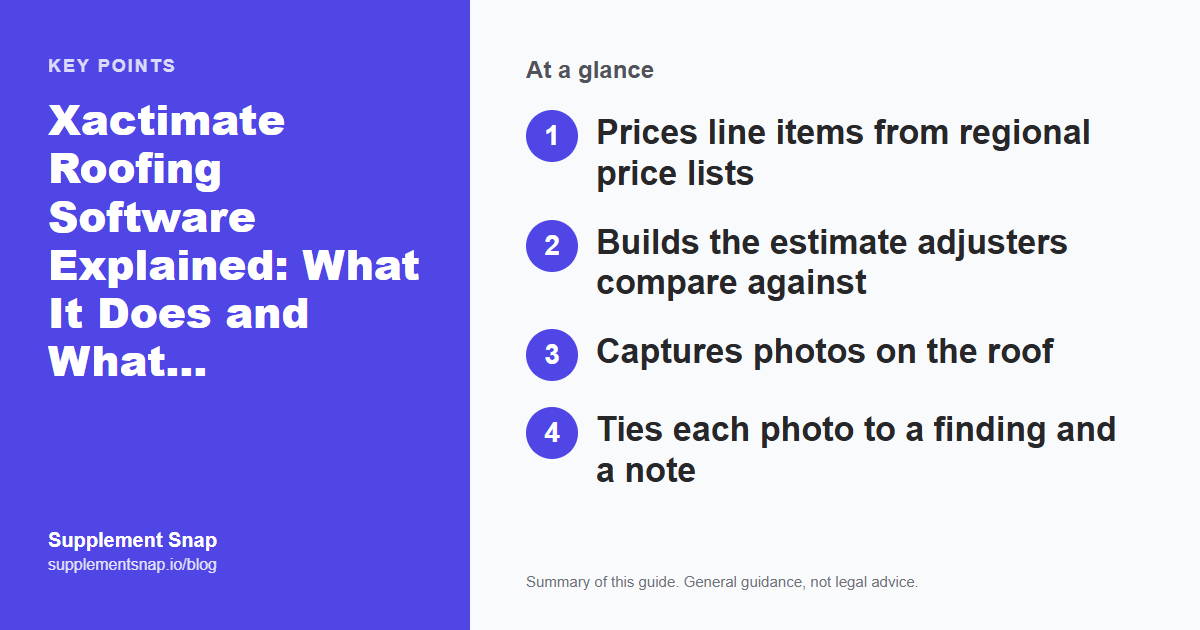
| Feature | Estimating software | Supplement documentation tool |
|---|---|---|
| Prices line items from regional price lists | Not its job | |
| Builds the estimate adjusters compare against | Not its job | |
| Captures photos on the roof | Varies by product | |
| Ties each photo to a finding and a note | Varies by product | |
| Generates a report for the adjuster | Varies by product | |
| Produces a starting line-item list | Export to review |
How a documentation tool fits alongside Xactimate
A documentation tool sits next to your estimating software. It does not replace it. A simple workflow looks like this:
The crew captures and labels findings on the roof.
Notes and measurements stay attached to each photo.
A report is generated for the adjuster.
Line items are exported as a starting list that you review and price in your own tools.
Supplement Snap is built for that workflow. Its export is a starting list, not a finished estimate. You still decide what goes out. See an example layout and the sample report to see the output.
Capture on the roof
Photos, roof area, a short note and measurements, all in one place.
Organize by finding
Each finding keeps its own photos and notes so nothing gets separated.
Generate the report
A clear document for the adjuster showing every finding with its proof.
Bring items into your estimate
Review the exported list and price it in your own estimating software.
Questions to ask before adding another tool
Use the same questions on every product you try:
Can my crew use it on a phone with weak signal?
Does it export something I can use in my estimate?
Will the adjuster understand the report without a call?
How does it handle photos, notes and measurements together?
What does it cost at my monthly volume?
Then run one real job through it. Time the path from the first photo to a finished package and show the result to someone who was not on the roof. The tool that makes the clearest package fastest is usually the right one for you.
Check current features directly
Products change often. Confirm what any tool does today on its vendor's site, and test it on one real job before you decide.
Estimate terms contractors run into
A few terms come up on almost every claim. Definitions here are general, and carriers and policies handle them differently, so check your own claim documents.
Price list: The set of regional unit prices used to price line items, tied to a location and a date.
Line item: One task or material with a description, quantity, unit and price.
Unit of measure: SF is square feet, LF is linear feet, SQ is a square (100 square feet) and EA is each.
Waste factor: Extra material allowed for cuts and offcuts, usually shown as a percentage.
Replacement cost value (RCV): What it would cost to replace the item without subtracting depreciation.
Actual cash value (ACV): Generally replacement cost minus depreciation. How it is applied depends on the policy.
Overhead and profit (O&P): An allowance added in some cases when a general contractor coordinates the work. Whether it applies varies by carrier and claim.
Understanding these helps you read the adjuster's estimate correctly, which is the first step to a supplement that lines up with it.
Common mistakes when using estimating software on a supplement
These show up often when contractors start submitting supplements:
Rebuilding the whole estimate: Send only what is new or changed, clearly marked, not a new estimate that forces the adjuster to compare everything again.
Ignoring the original price list: Pricing new lines from a different list makes totals impossible to compare.
Treating the export as final: Any generated list should be checked line by line against your measurements and photos.
Skipping the narrative: A list of items with no explanation leaves the adjuster to guess why each one is needed.
A short, factual note with each item, plus labeled photos, does more than extra formatting. See how to write a roofing supplement for the full workflow.
Frequently asked questions
Is Xactimate required to submit a roofing supplement?
Not always. Many contractors submit a clear document that mirrors Xactimate line items. Requirements vary by carrier, so confirm with your adjuster.
Does supplement software replace Xactimate?
No. It helps capture and organize proof and can produce a starting line-item list. You still estimate and price in your own tools.
Will using a documentation tool get my supplements approved?
It can make your package clearer and more complete, but approval depends on the claim, the policy and the carrier.
Where can I see current Xactimate pricing and features?
On Verisk's Xactimate product page. Features and pricing change, so check there directly.
Do I need Xactimate to use the Xactimate codes guide?
No. The guide helps you name items and units correctly in a written supplement. Building a native Xactimate estimate requires the software.
References & Resources
Free tools and resources
Ready to streamline your supplement process?
Supplement Snap helps your crew capture hidden damage during tear-off and generate adjuster-ready reports in minutes.
Written by
Kelvin Spratt
Founder, Supplement Snap
Kelvin builds software for roofing contractors who are tired of leaving supplement money on the table. His background in software development and insurance restoration workflows drives everything Supplement Snap does.
More Articles
Xactimate Codes for Roofing Supplements: Quick Reference
Read more →
Xactimate Roofing Estimate Example: How a Supplement Line-Item List Looks
Read more →
Roofing Software Comparison: CRM vs. Estimating vs. Supplement Tools
Read more →
How to Build an Xactimate Roof Estimate for Insurance Supplements
Read more →